Screen Printing Mesh Terms Explained: What That Spec Table Actually Means
Mesh count, thread diameter, mesh opening, thickness, weave type — the six lines in every mesh listing, explained in plain language with a real screen under the magnifier.
Before you can choose a mesh, you have to be able to read one. Open any supplier site and search “screen printing mesh” — every listing shows the same wall of terms. This guide walks through them one by one, starting with what a screen actually looks like up close.
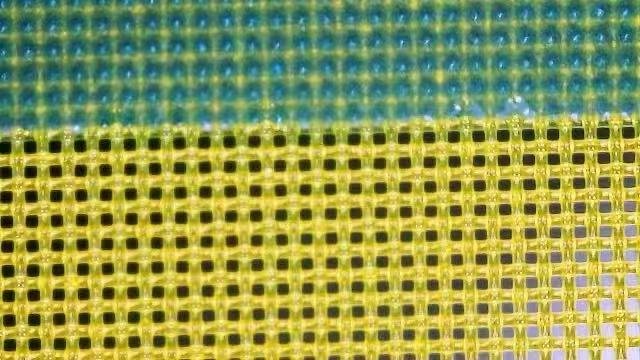
That photo is the whole principle of screen printing in one frame: block the holes where you don’t want ink, leave them open where you do. Everything in a spec table exists to describe the fabric those holes are punched through.
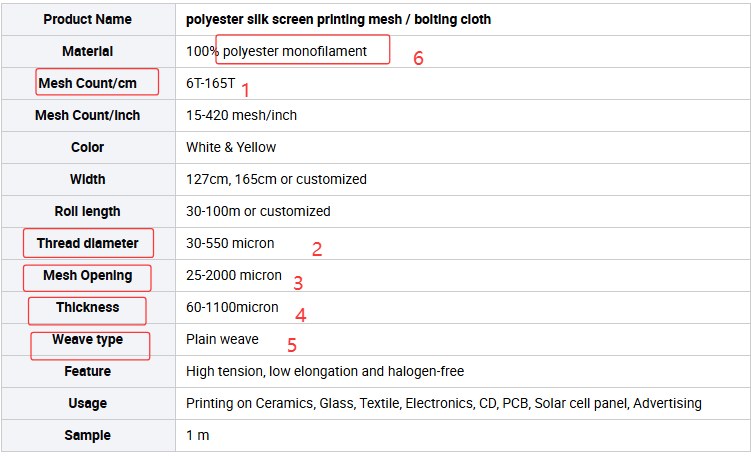
Mesh count — how many threads per unit length
Mesh count is the number of threads (and therefore holes) per unit of length. Two systems are in use:
- Per inch (mesh/inch) — the US convention. “15 mesh” means 15 threads per inch.
- Per centimeter (threads/cm, written as “T”) — the metric convention used by European and Chinese suppliers. “6T” means 6 threads per cm.
The listing above gives both: 6T–165T equals roughly 15–420 mesh/inch. The conversion is a fixed ratio (1 inch = 2.54 cm) — our mesh count converter does it in both directions.
Higher count = finer threads and smaller holes = thinner ink deposit and finer detail. Lower count = more ink laid down.
Thread diameter — how thick each thread is
Given in microns (µm). For the same mesh count, a thicker thread means smaller holes and a stronger, more stable fabric; a thinner thread means larger holes and easier ink passage. This is why two “120T” meshes from different product lines can print very differently — the count is the same, but the thread diameter isn’t.
Mesh opening — the actual hole size
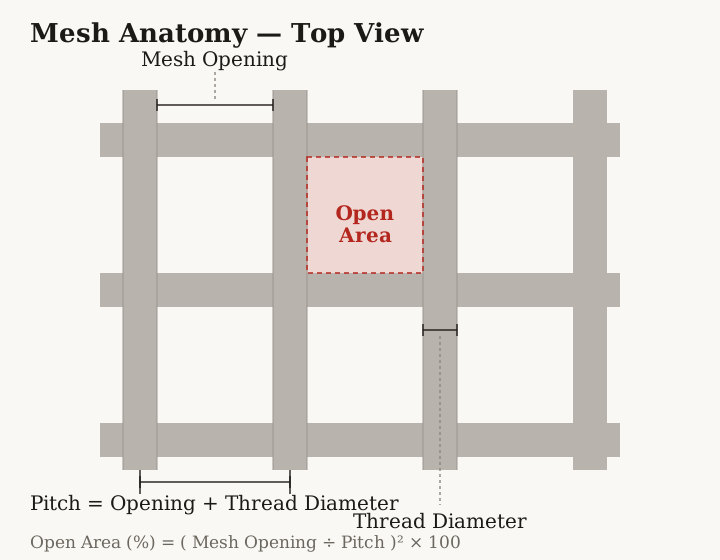
Also in microns. This is the number that decides whether your ink’s pigment particles pass through. The geometric relationship is simple:
opening = 10,000 ÷ mesh count (T) − thread diameter
It’s the same formula used in the converter tool. Treat it as the theoretical opening of a new, perfectly tensioned screen — tension loss over time and emulsion build-up both shrink the real value.
Some suppliers also quote open area — the percentage of the fabric that is holes rather than thread. A 120T mesh with 40 µm threads has an open area of only about 27% — less than a third of the screen is actually open, even though the mesh itself looks like mostly holes. Two meshes with the same opening can still carry different amounts of ink if their open areas differ, because open area scales with the opening squared.
Thickness — the fabric caliper
The overall thickness of the woven fabric, in microns. Thickness drives how much ink the screen carries: thicker fabric, thicker ink film. It matters most when you’re printing a heavy, opaque layer — a white underbase, or a cover coat on a dark substrate.
Weave type — how the threads cross
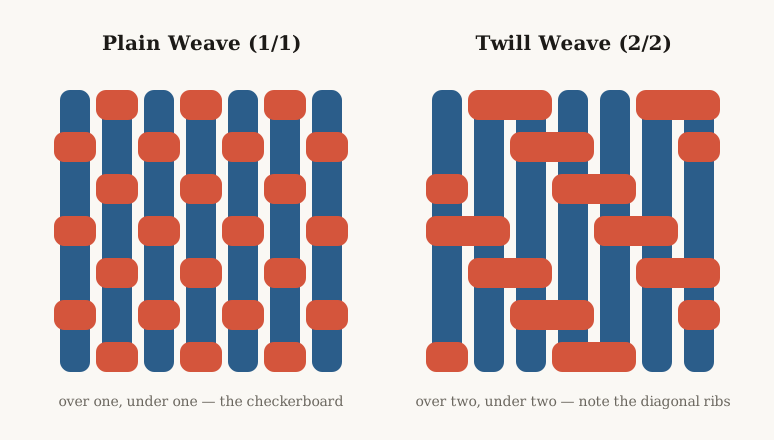
Plain weave means each thread crosses over one thread and under the next, one by one. It is what you will actually buy — practically all printing mesh is plain weave. You may see “twill weave” (threads crossing in a 2-over-2-under pattern) in catalogs; it exists for extra-thick specialty fabrics and is rare in practice. If the listing doesn’t say, it’s plain weave.
Material — what the threads are made of
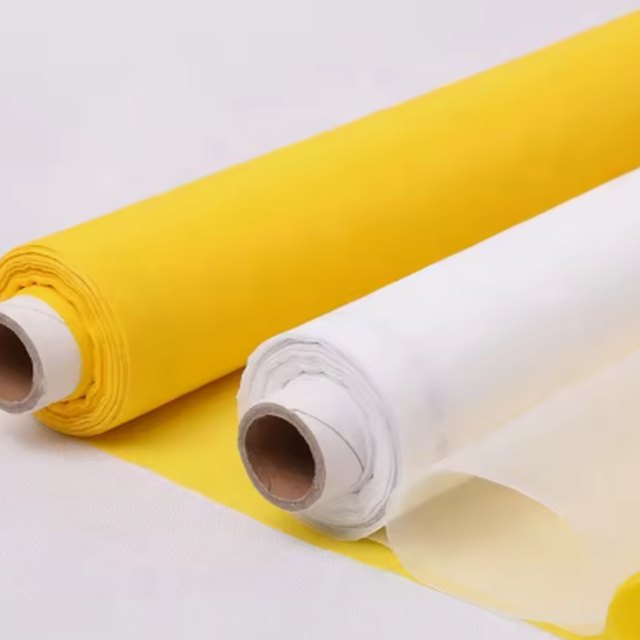
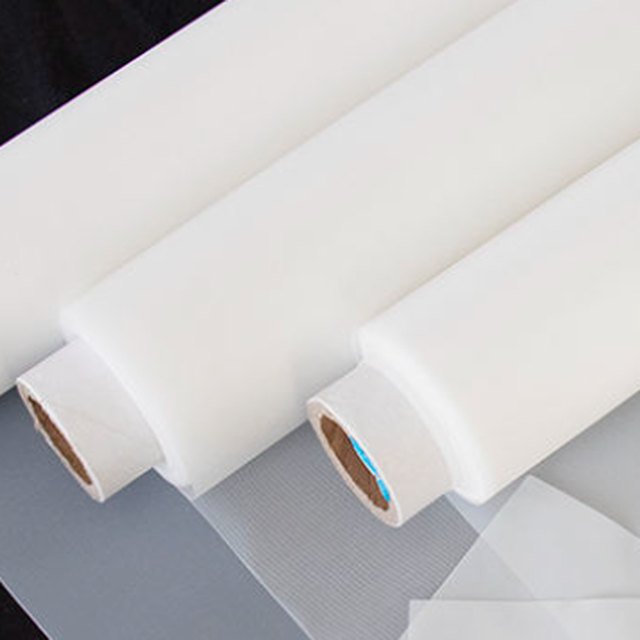
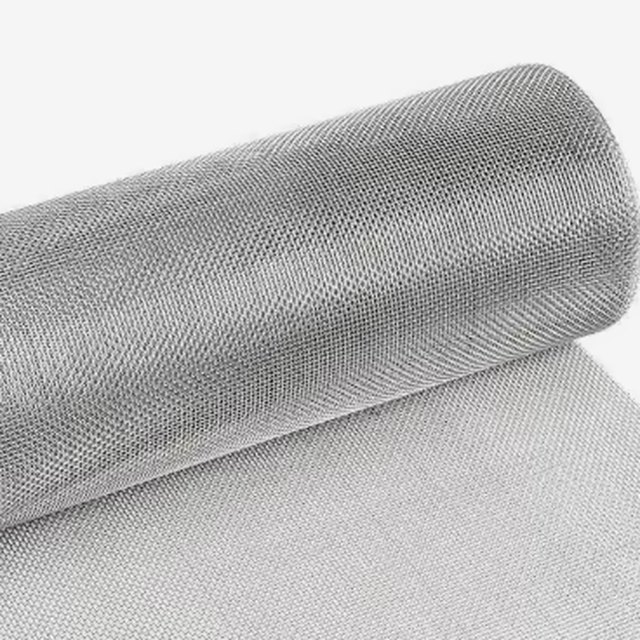
100% polyester monofilament is the modern default: each “thread” is a single continuous filament, which keeps the fabric dimensionally stable, easy to clean, and consistent in tension. The listing says “silk screen” in the product name for historical reasons — silk hasn’t been the material for decades.
The other names you’ll meet:
- Nylon — more elastic, less tension-stable. Occasionally useful when printing on curved surfaces; not for precise flat work.
- Stainless steel — rigid and very stable, used for ultra-fine electronics printing. Expensive, and it dents permanently instead of stretching.
What to remember
- Mesh count tells you thread density; opening is what your ink actually feels. Count + thread diameter together determine opening.
- The same “120T” is not the same screen across suppliers — check thread diameter before assuming equivalence.
- Polyester monofilament, plain weave covers almost every job. Deviate only when you have a specific reason.
Next in this series: how mesh count interacts with ink deposit, and how to pick a starting mesh for a new job.