Ink Recipe Manager
Every screen printing shop accumulates ink formulas — which base inks, which thinner, what ratio, which mesh, which film, what viscosity worked. Most shops keep them in scattered Excel files or, worse, in a notebook next to the mixing scale. This tool puts them in one place: a small database that runs entirely in your browser, saves automatically to your own computer, and prints a mixing sheet your press operator can actually work from. No account, no server, no internet connection required — your formulas never leave your machine.
The demo data below is fictional sample content so you can click around freely. Delete it and enter your own — everything is editable. If you are not sure where to start, read the guide below the tool.
This page is the live demo. For daily shop use, download the standalone file — one .html file you double-click like any program. It runs offline, and your formulas are stored on your own computer, completely separate from this website.
▶ Live demo — click around freely, nothing you enter leaves your computer. Drag any edge or corner of the demo to resize it.
How to Use It
The three building blocks
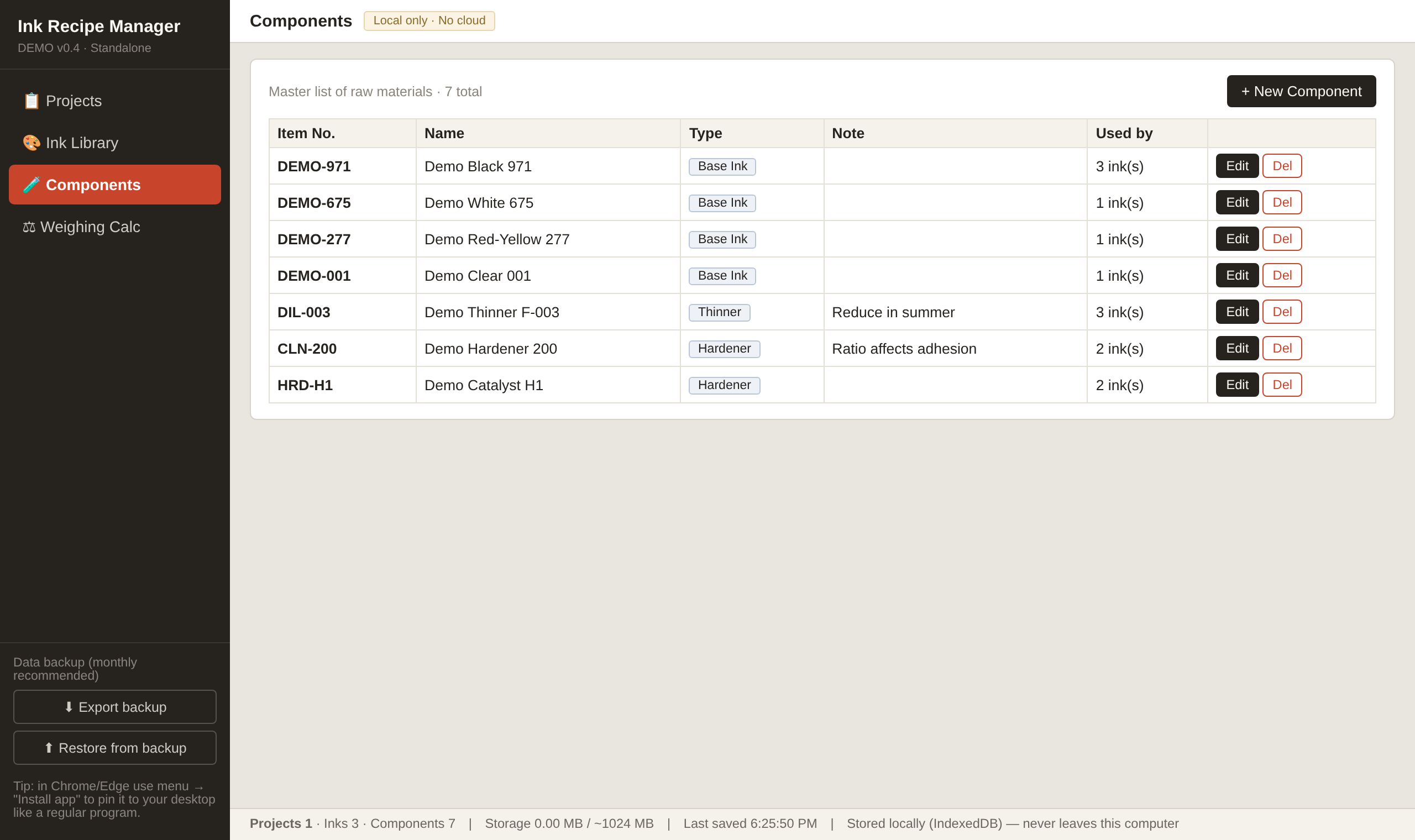
The tool is built from three levels, mirroring how a shop actually works. At the bottom is the Components library — every raw material on your shelf, with its item number, name, type, and notes (for example, "reduce in summer" on a fast thinner). You only enter each material once.
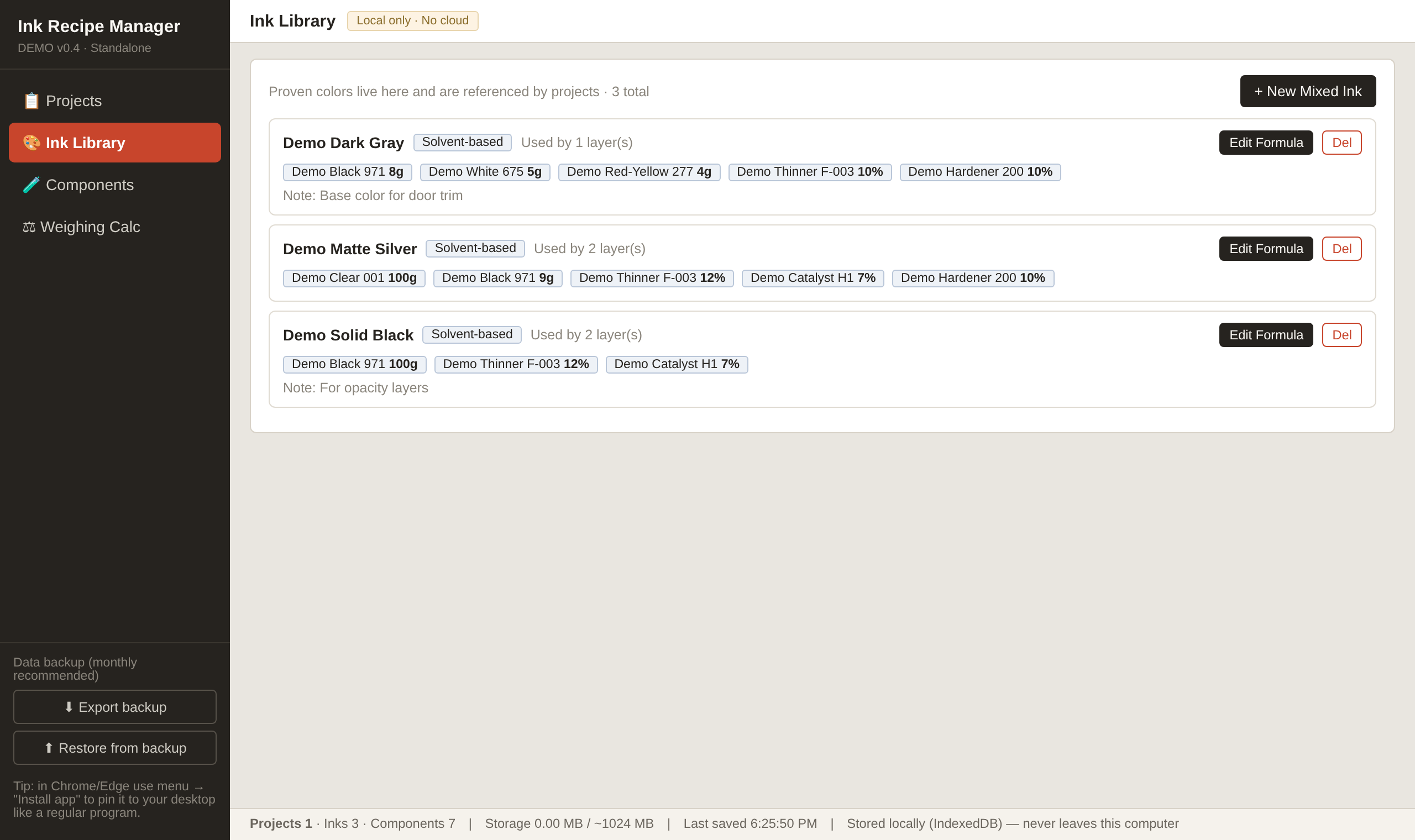
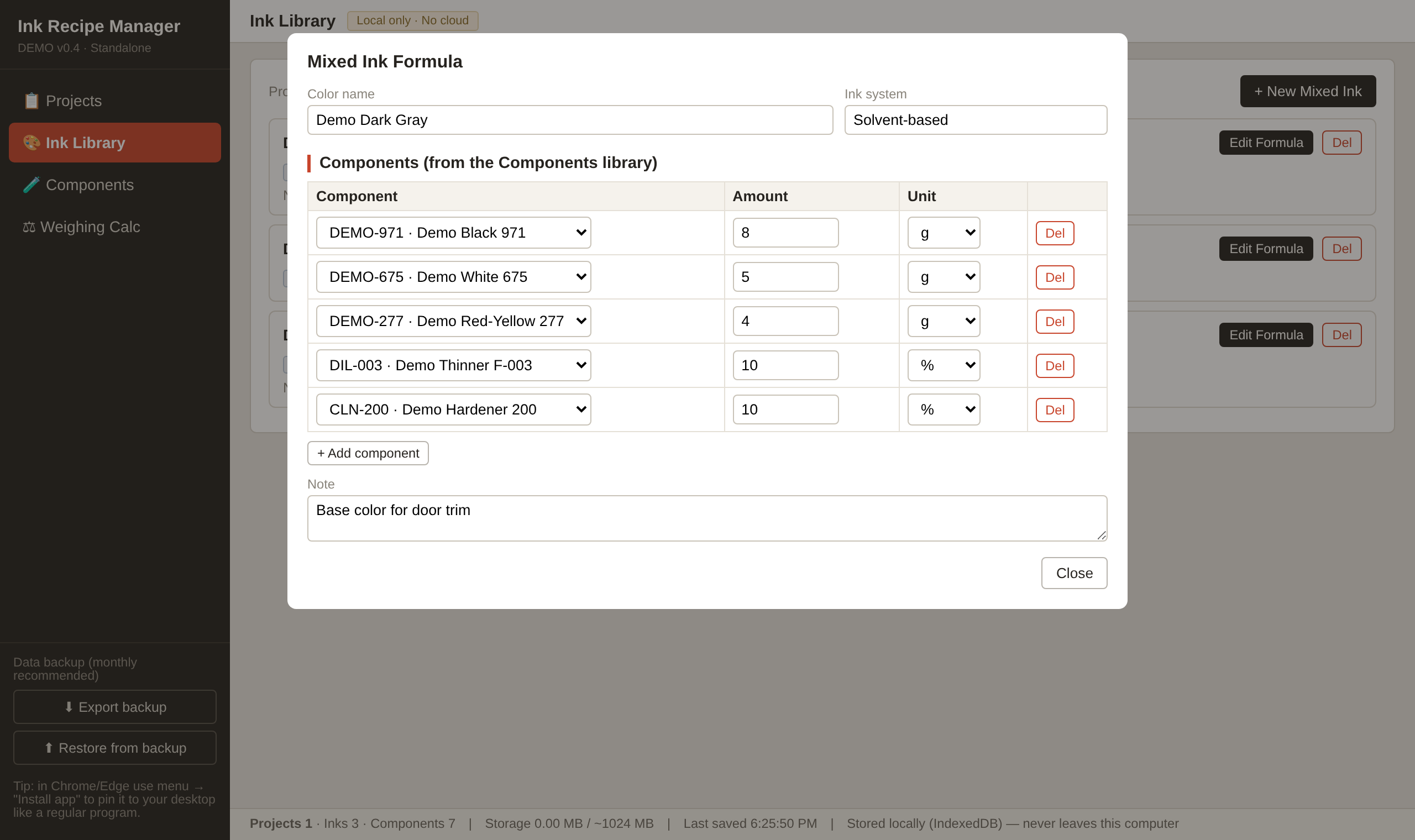
Above that is the Ink Library — your proven colors. A mixed ink is a list of components with amounts and units (g, %, or parts). When a project uses "that dark gray we dialled in last year", you reference the library entry instead of re-typing the formula. An ink that is still referenced by a layer cannot be deleted by accident — the tool counts references and blocks the delete.
At the top are Projects: one project per job (a part number, a customer job, a product), holding the job header (substrate, thickness, press, quantity, status) plus the ordered list of print layers.
Building a project, layer by layer
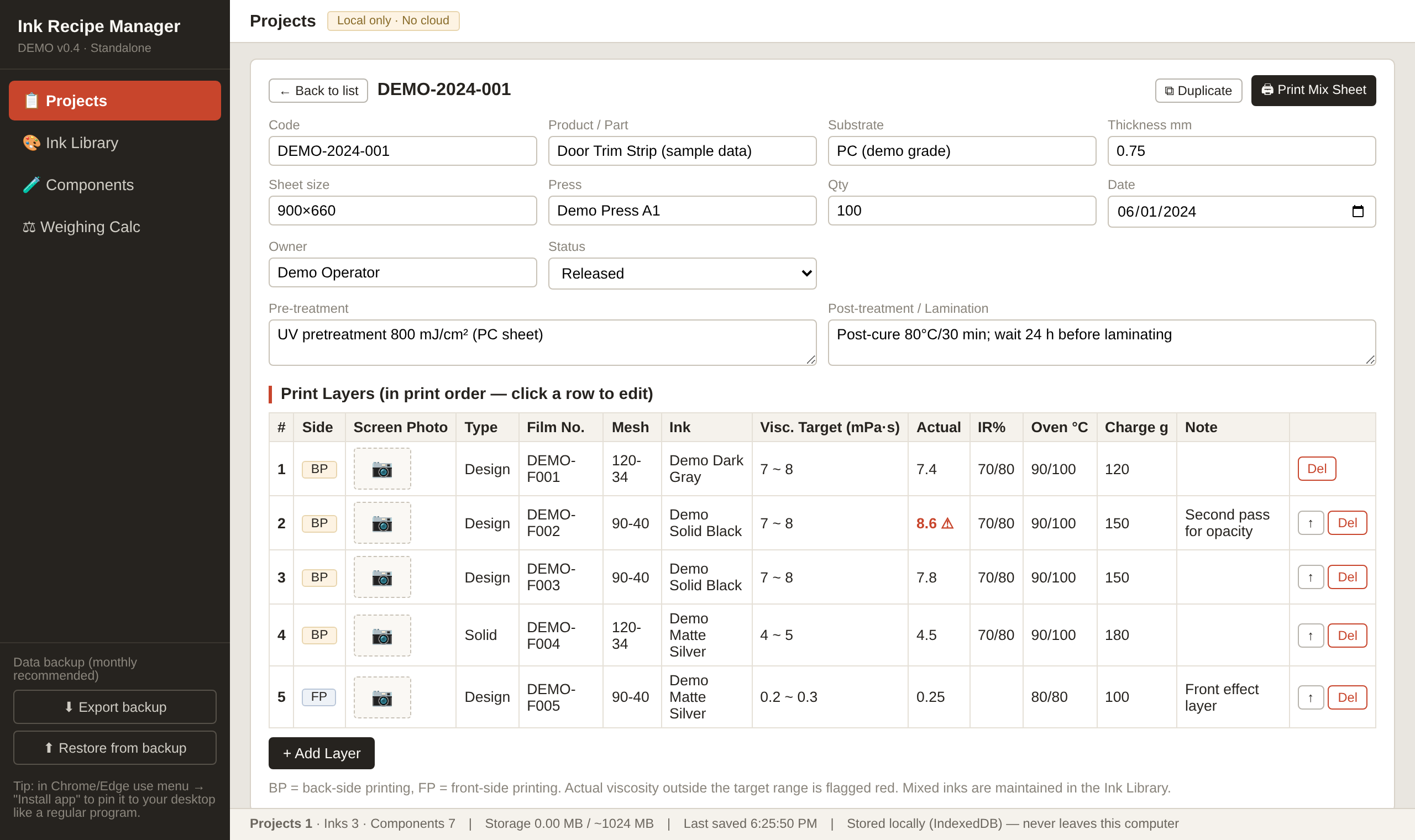
Multi-layer industrial printing means one screen per layer. Each layer row records the side (BP = back print, FP = front print), layer type, film number, mesh, the mixed ink to use, the viscosity window with the measured value, drying settings (IR, oven, UV), the ink charge in grams, and a note. Click a row to edit it; use the arrow button to fix the printing order. Duplicate copies a whole project with all its layers — the fastest way to start a similar job.
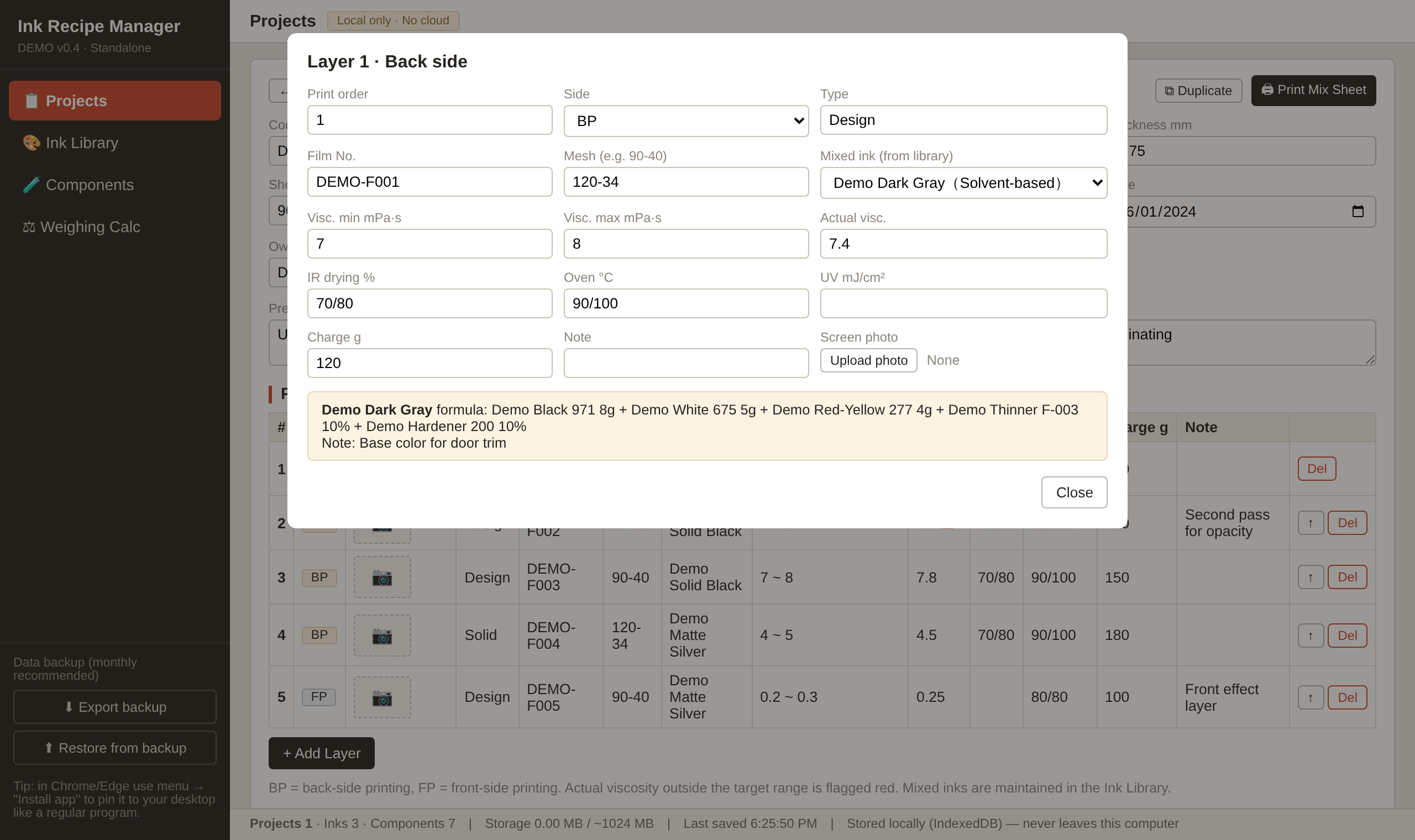
Each layer can carry a photo of its screen (click the camera placeholder). The photo is compressed automatically and stored inside the database. It appears as a thumbnail in the layer table and on the printed sheet, so the operator can verify at a glance that they grabbed the right screen — the cheapest insurance against a wrong-screen misprint.
Weighing without mental math
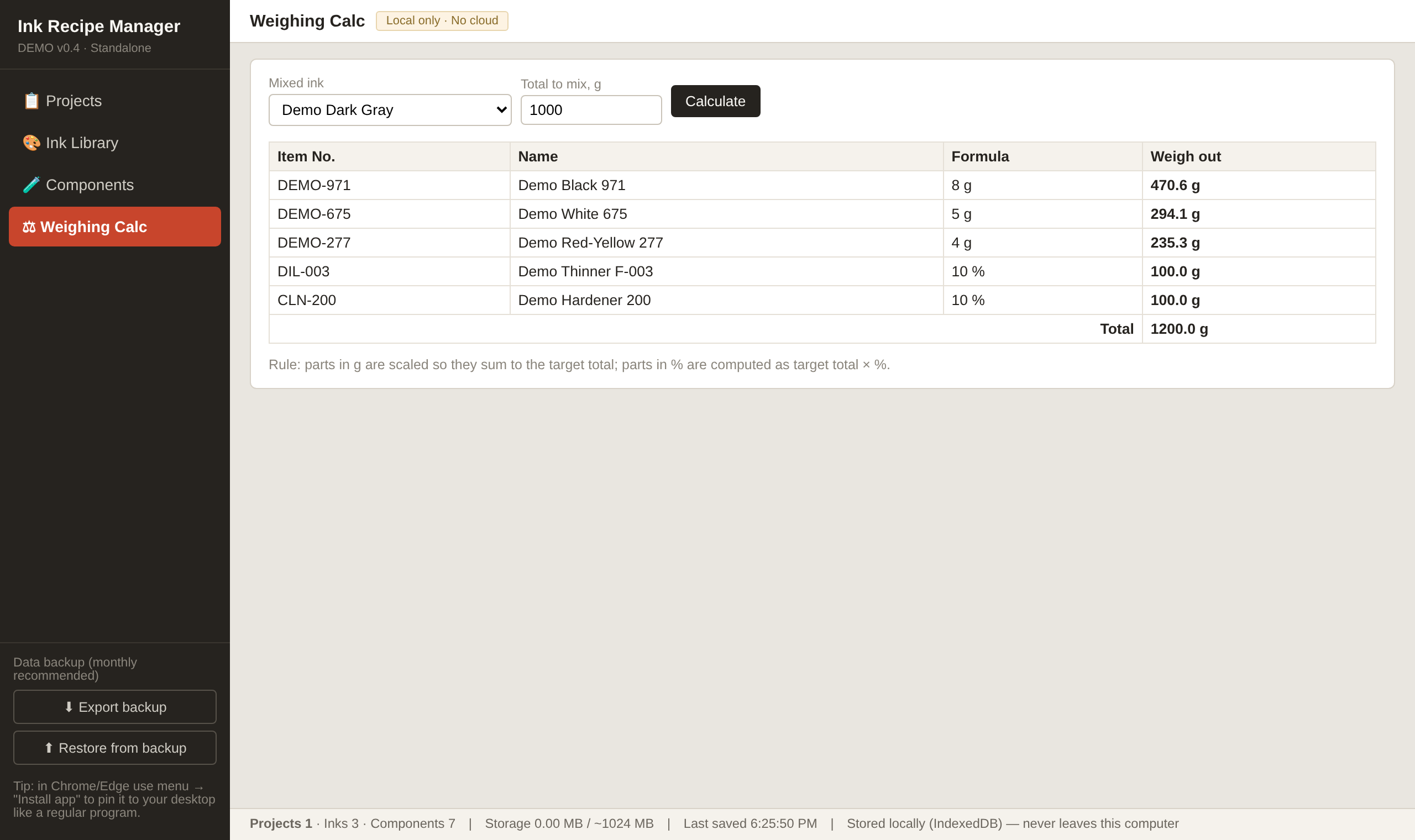
The Weighing Calc tab answers the daily question "I need 1000 g of this color — how much of each part?" Components measured in g scale so they sum to your target; components measured in % are computed as target × %. No calculator, no scribbled long division at the scale.
The printed mixing sheet
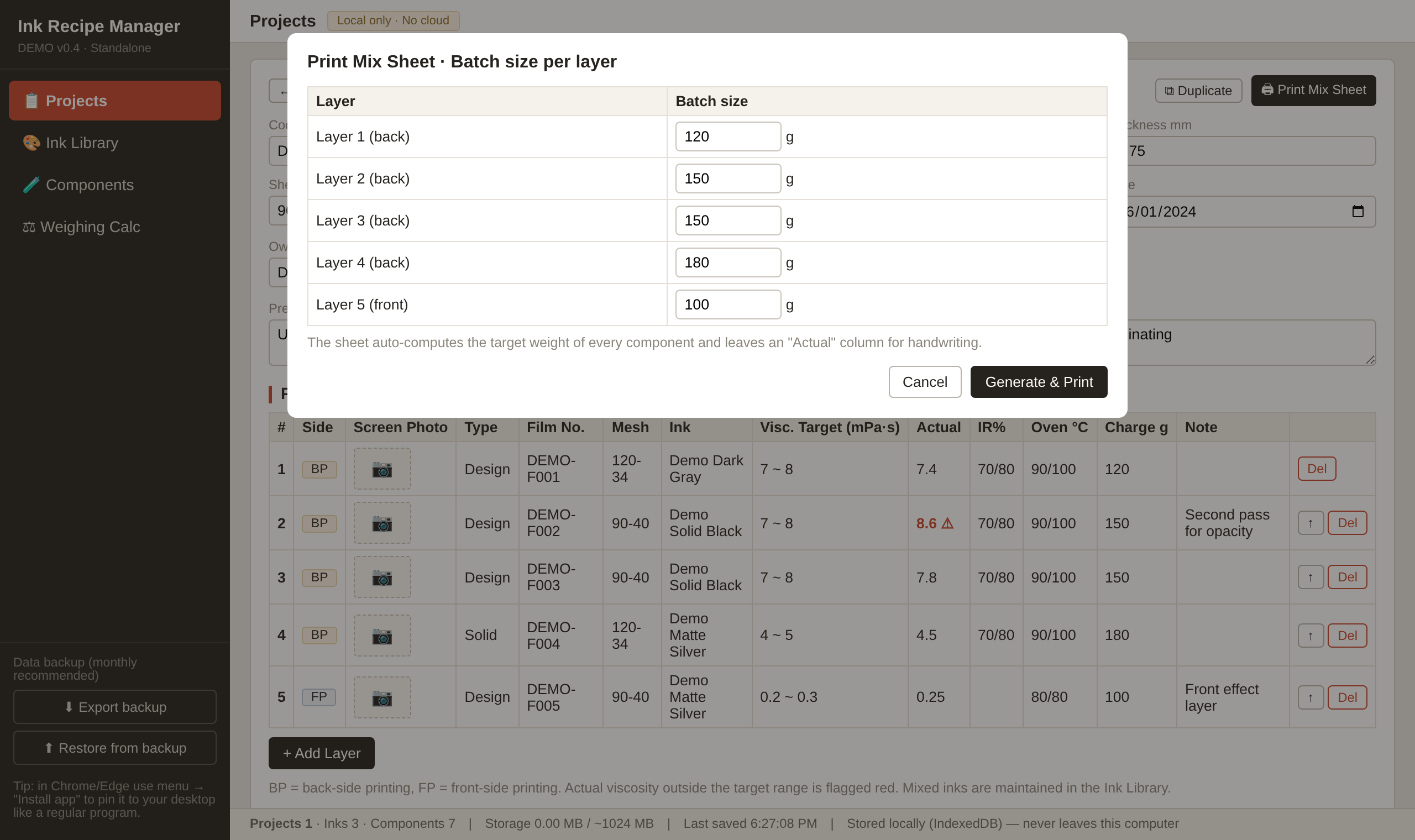
The person who keeps the formulas is rarely the person who mixes the ink. Print Mix Sheet bridges that gap: it asks how much ink you are mixing per layer this time, then prints one card per layer with everything the press operator needs — screen photo, film number, mesh, viscosity window, drying settings, and a weighing table.
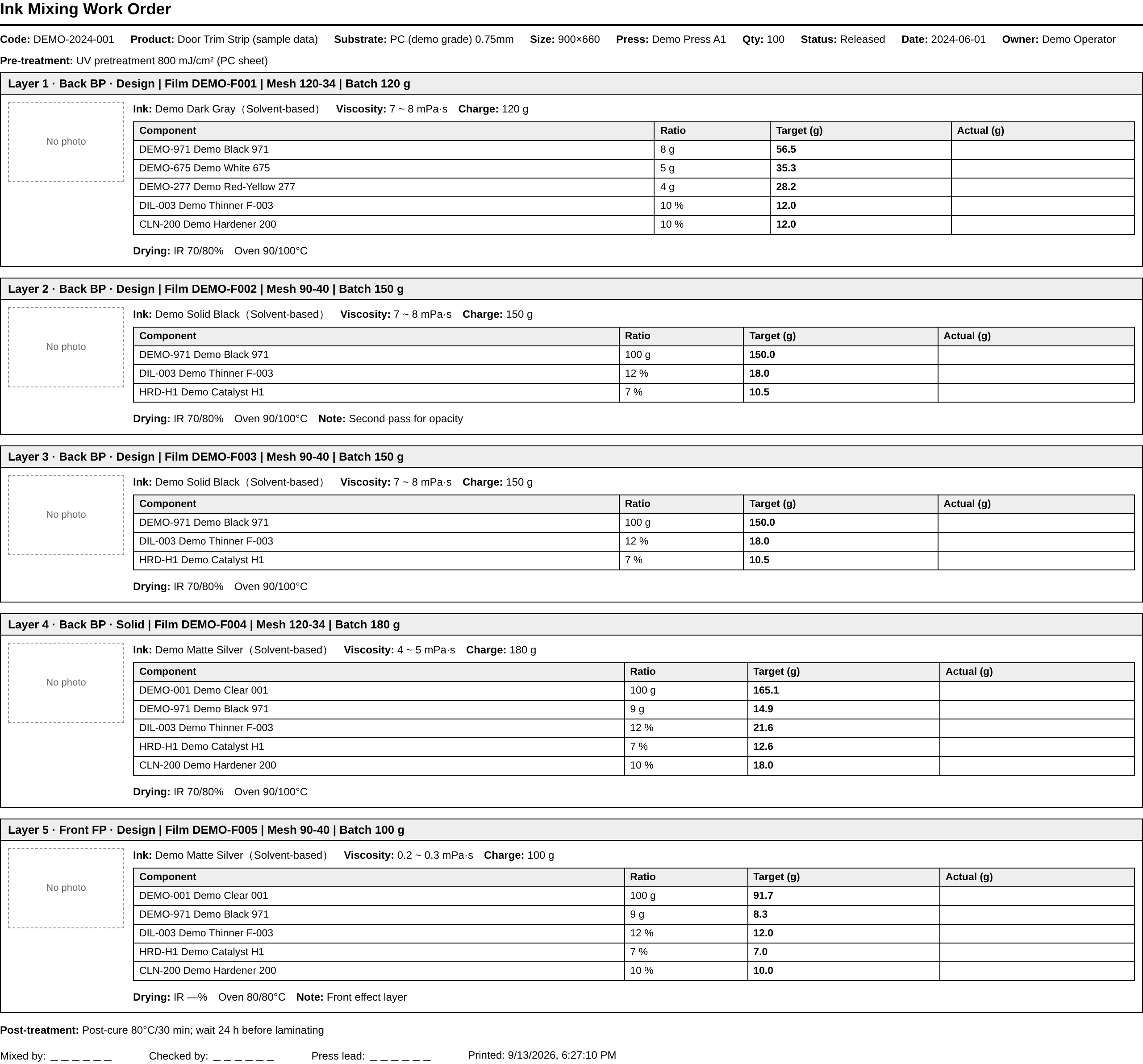
The weighing table has four columns: component, formula ratio, the target weight in grams (computed automatically), and an empty "Actual" column for handwriting the weighed value. The checker compares target against actual before anyone signs. The sheet ends with signature lines for the mixer, the checker, and the press lead.
Your data, on your machine
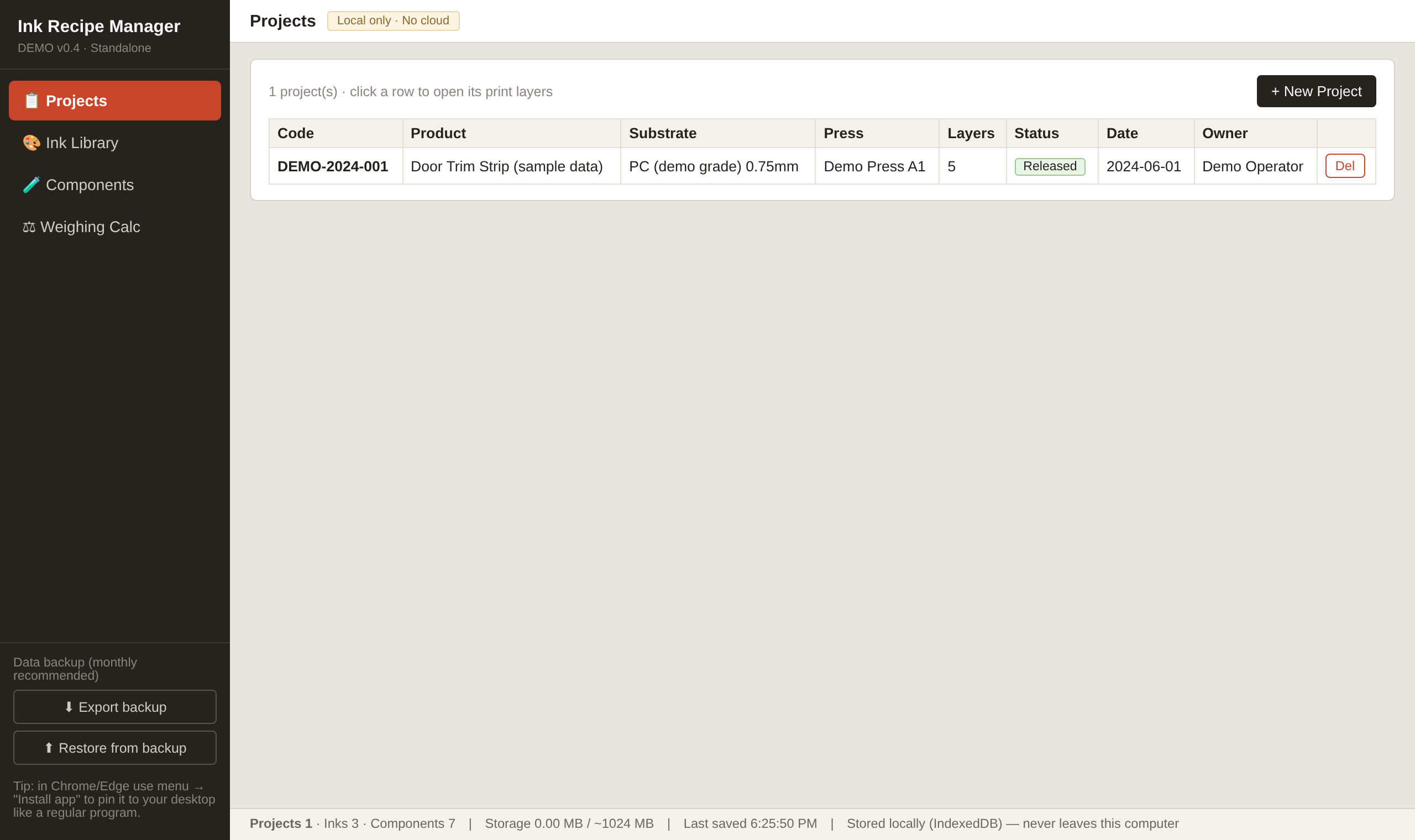
Everything you type is saved automatically to your browser's local database (IndexedDB, with a localStorage mirror) on the computer you are using — nothing is uploaded anywhere. The status bar shows how much storage you are using. Two habits keep the data safe: use Export backup once a month and keep the JSON file somewhere safe, and install the tool as an app (Chrome/Edge menu → "Install app") so it opens like a normal program. One caveat: data is bound to the browser on that computer — if you wipe the browser's site data, only your backup file can bring it back.
Web page or downloaded file? Both are the same tool. Using it on this page stores data under this website's domain; the downloaded standalone file stores data independently of any website. If you will use it daily — or you simply prefer that your formulas have nothing to do with a website — use the download button at the top of this page. The two copies do not share data; move between them with Export backup / Restore.
Honest limits
This is a single-computer tool. It does not sync between machines (move data with the backup file), it has no user accounts or permission levels, and it does not do colorimetry — it records the formula you already know works, it does not compute a formula from a color target. For most small and mid-size shops, that is exactly the 90% that matters.