How to Use the Screen Mesh Selector — and Why It Works the Way It Does
A walkthrough of the four modes of our free mesh selection tool, the published specification data behind every recommendation, and the three physical rules that eliminate bad choices before ranking begins.
Our Screen Mesh Selector recommends a mesh in about five seconds. This article shows you how to drive all four of its modes, and — more importantly — explains where its numbers come from and why it is built the way it is, so you can judge for yourself whether to trust it.
If you just want the tool, it’s here: use it online or download the standalone file (one .html file, works offline on any computer or phone).
The four modes
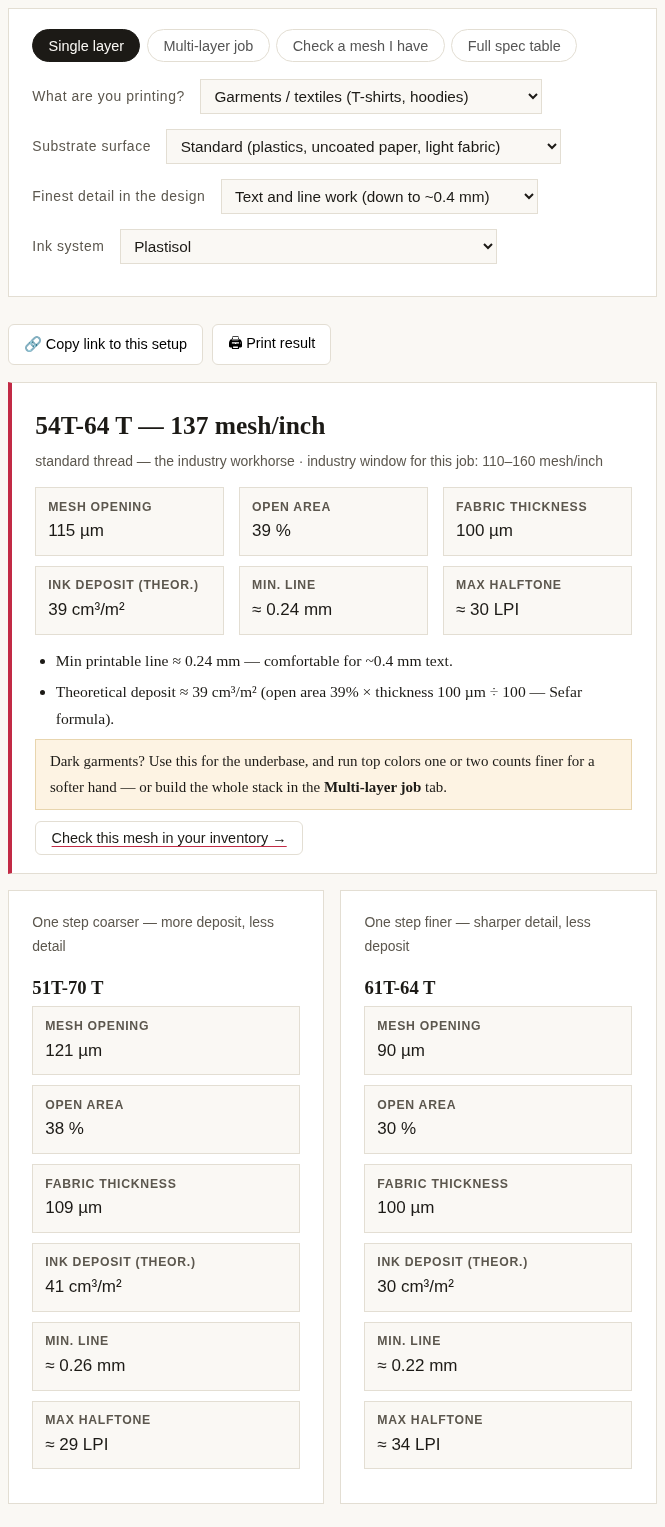
Single layer is the everyday case. Four questions — what you’re printing, the substrate surface, the finest detail in the design, and the ink system — produce one recommendation with its full published specification: mesh opening, open area, fabric thickness, theoretical ink deposit, minimum printable line, and maximum halftone ruling. Two alternatives (one step coarser, one step finer) are shown alongside so you can see what you’d trade.
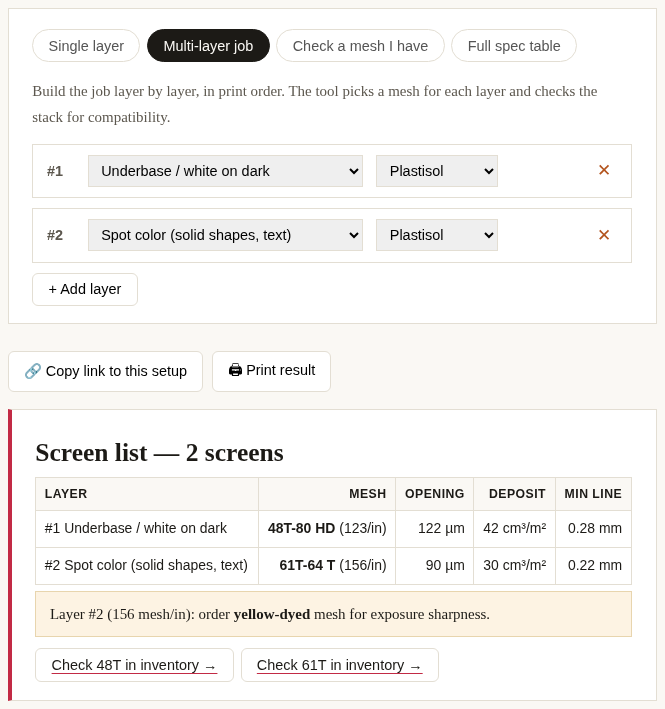
Multi-layer job is for planning a whole print stack. Add layers in print order — underbase, spot colors, top colors over an underbase, halftones, particle effects — and the tool picks a mesh per layer, then checks the stack for compatibility: it warns if a top color prints coarser than the underbase beneath it, reminds you about screen angles when several halftone layers share similar counts, and flags every layer at 155 mesh/inch or finer as a candidate for yellow-dyed mesh.
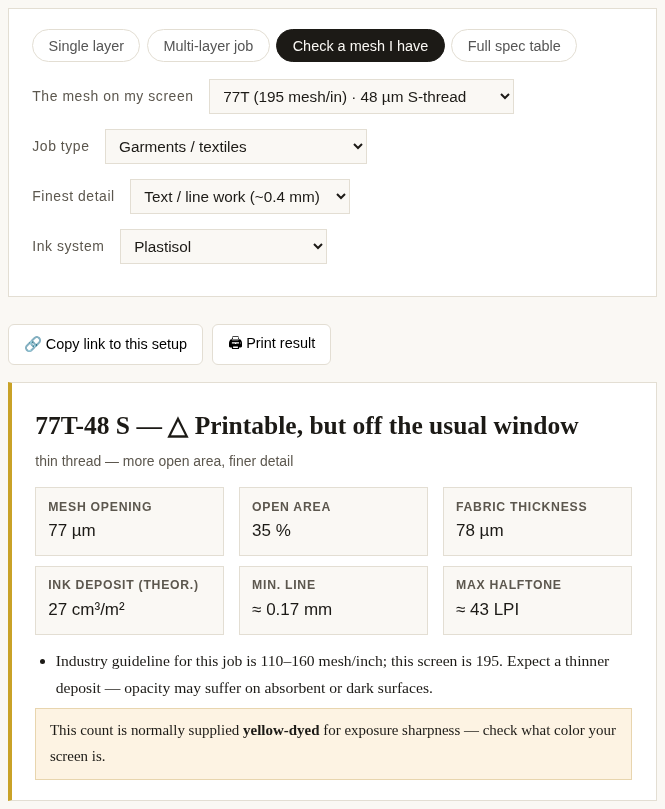
Check a mesh I have is the reverse question: you own a screen, a job lands on your desk — will it work? Pick your mesh and the job type and you get one of three verdicts: suitable, printable but outside the usual window (with an explanation of which direction it’s off and what that costs you), or not suitable, with the specific physical rule it breaks.
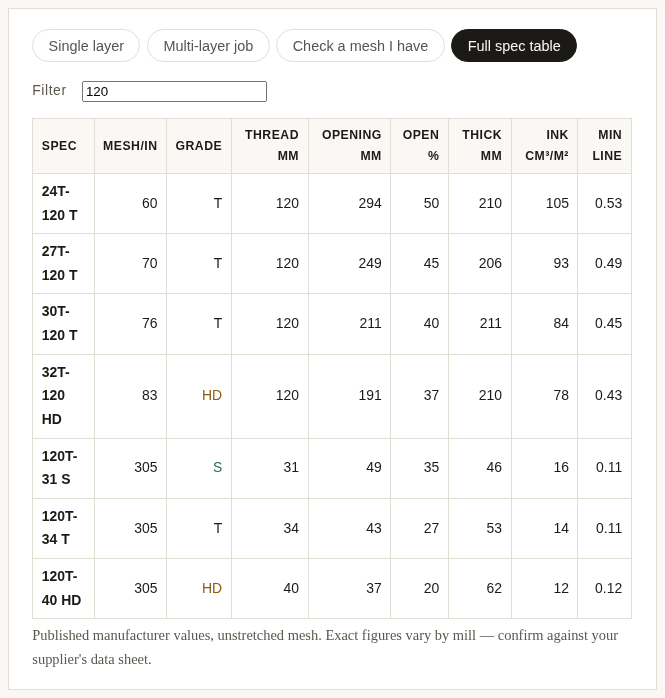
Full spec table is the whole database: 42 published specifications you can filter by count, grade, or keyword. Useful when you’re comparing two meshes on a supplier’s site, or when you want to see what an S-grade thread buys you at the same count.
Where the numbers come from
Every one of the 42 rows in the database is copied line-for-line from the published SEFAR® PET 1500 article list — mesh count, thread diameter, opening, open area and fabric thickness exactly as printed. Nothing is interpolated, averaged or estimated. The database uses the S/T/HD thread-grade system shared by the Swiss, Italian and Japanese mills alike (Sefar, Saati, NBC Meshtec): at the same mesh count, an S (thin) thread gives more open area and finer detail, a T (standard) thread is the industry workhorse, and an HD (thick) thread gives maximum deposit and durability.
The theoretical ink deposit is not our formula — it’s the one Sefar prints in its own documentation: deposit ≈ open area × fabric thickness ÷ 100, in cm³/m². When the tool shows 39 cm³/m² for a 54T-64, that arithmetic is shown right in the result card.
The one thing the tool deliberately does not do: invent numbers. An earlier version of this tool carried “target deposit ranges” and ink/substrate correction coefficients that no published source supports. They were removed. What remains is either a published specification, a published formula, or a clearly-labeled industry guideline.
The three hard rules
Before any ranking happens, three physical rules eliminate meshes outright. These are not preferences — they are geometry:
- Particle clearance. The mesh opening must be at least three times the largest particle in the ink. Glitter, metallic flake, and some pigments will simply not pass otherwise; the screen clogs within a few prints.
- Halftone support. The mesh count should be roughly 4–4.5 times the line screen ruling. At 45 LPI you need about 180 mesh/inch; at 55 LPI, 230 and up. Below that ratio the dots have no thread to anchor to and the highlight dots wash out.
- Minimum printable line. A mesh can only hold a line wider than about two thread diameters plus one opening (K = 2d + w). This is why “fine detail” eliminates coarse meshes even when the ink itself would flow through them.
Whatever survives those rules is then ranked against the mesh-count windows that shops and suppliers actually publish for each application — for example 110–160 mesh/inch for garment printing, 200–300 for UV graphics — and nudged coarser for rough or absorbent surfaces, finer for thin inks like UV and water-based systems.
Using it with the Screen Inventory Manager
If you keep your screens in our Screen Inventory Manager, the two tools talk to each other. Every recommendation and every layer in a multi-layer plan has a “Check in inventory” button that opens your inventory pre-filtered to that mesh count — so “the tool says 77T” becomes “we have two 77T screens, one due for tension check” in one click.
Sources
- Sefar PET 1500 article list (full specification table, PDF) — the exact document all 45 database rows are copied from
- Sefar PET 1500 product page — the Downloads section carries the article list & definitions PDF with the full mesh specifications and the theoretical ink volume formula
- Lawson Screen & Digital — mesh count production guide — application windows for garment and graphic printing
- Ryonet — how to pick the right mesh count — application windows and detail-level guidance
- Fusion 180 — mesh formulas for halftone printing — the 4–4.5× rule of thumb for halftone support
- Vastex — Mesh Information for the Screen Printer — S / T / HD thread grades and particle-clearance guidance for specialty inks
New to the vocabulary — opening, open area, thread grades? Start with Screen printing mesh terms, explained; a deeper theory guide on mesh selection is in the works.
Specifications vary slightly between mills and between production lots. Always confirm against your supplier’s current data sheet, and always test print before a production run.